
As soon as the customer signs their quote, the deposit invoice is automatically generated. The deposit amount is calculated, the invoice is formatted with your bank details and transfer instructions.
Payment tracking
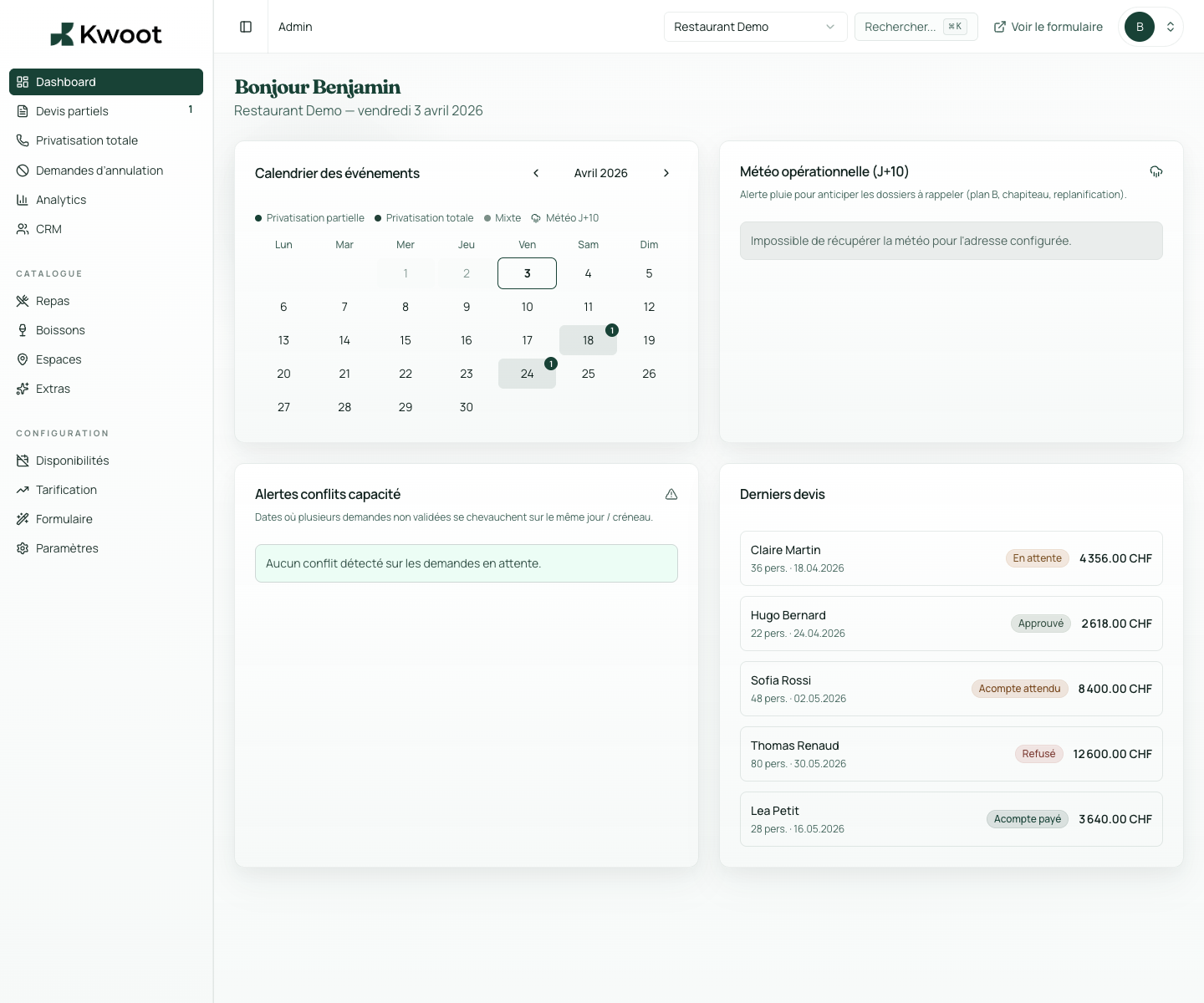
Deposit received or not? The answer is in Kwoot, not in your head.
Each event has its payment cycle: deposit upon signature, balance before the event. Kwoot traces every step, generates PDF invoices automatically and shows you at a glance what's paid, what's expected, what's overdue.
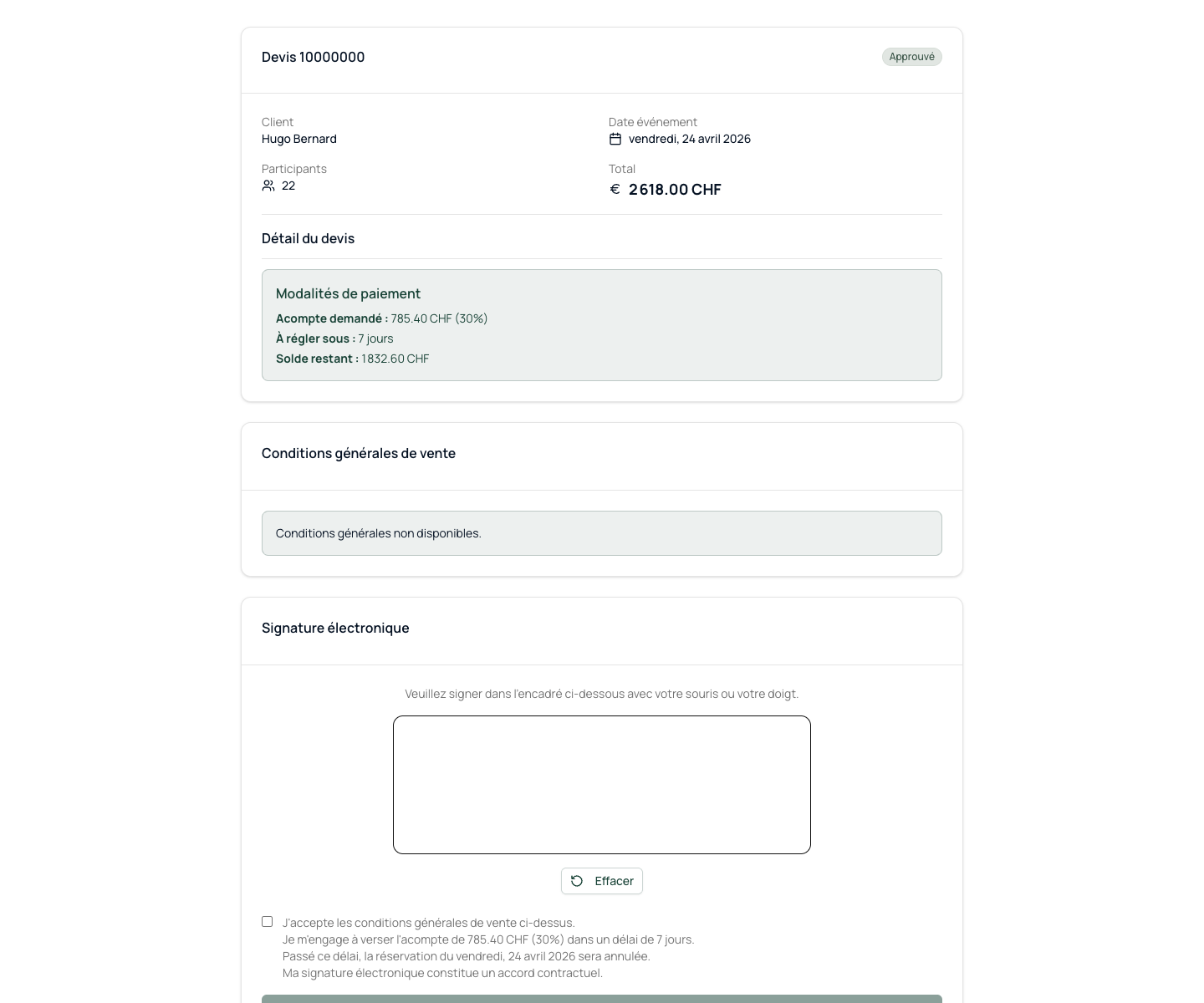
Quote status changes to deposit paid
The customer portal is updated
The amount of the remaining balance due is recalculated
What it unlocks
Everything you need to convert more opportunities.
Kwoot does not process payments directly. Transfers are made according to your bank details and you register receipt in one click.
The Kwoot admin interface displays the financial status of all your events in real time. Filter by payment status, by period, by amount. Export to CSV for your accounting.
From the signed quote to the deposit invoice
The signature triggers the invoice. Without action from your team.
As soon as the customer signs their quote, the deposit invoice is automatically generated. The deposit amount is calculated, the invoice is formatted with your bank details and transfer instructions.
Payment registration
Did the customer pay? You save it with one click.
Kwoot does not process payments directly. Transfers are made according to your bank details and you register receipt in one click.
- Quote status changes to deposit paid
- The customer portal is updated
- The amount of the remaining balance due is recalculated
Payments overview
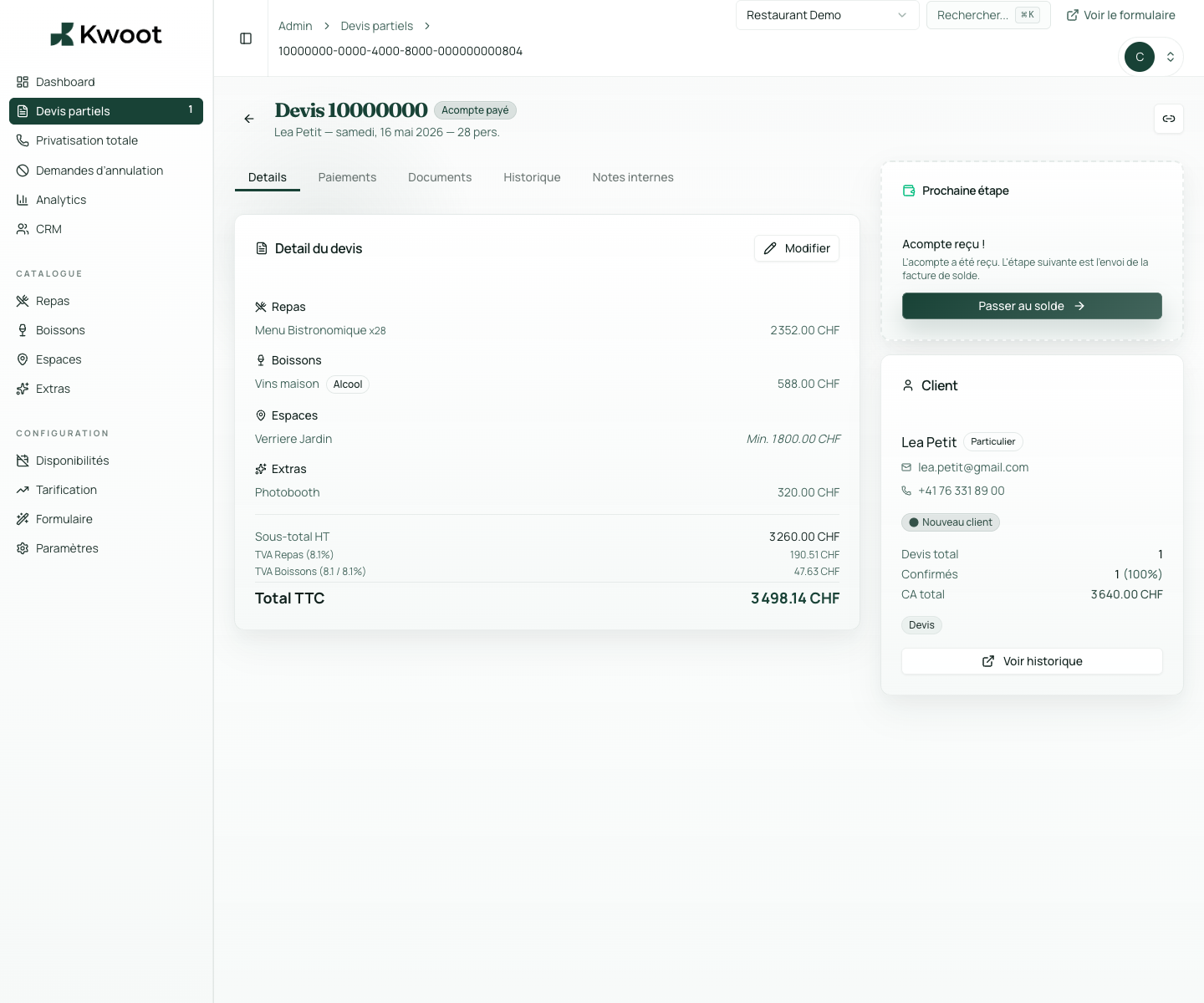
Who still has to pay? The answer is on your dashboard.
The Kwoot admin interface displays the financial status of all your events in real time. Filter by payment status, by period, by amount. Export to CSV for your accounting.
Pending depositDeposit paidPending balanceBalance paidCanceled / refunded
Kwoot makes this step clearer for the team and more professional for the client: everyone knows what to do, where to look and when to restart.
Example of a situation handled with KwootYour deposits should not rely on your memory or emails.
Kwoot tracks every payment, generates every invoice and alerts you to what hasn't yet been paid.
FAQ
Frequently asked questions about payment tracking
Does Kwoot handle credit card payments?
No. Kwoot displays bank transfer instructions and tracks payments that you record manually.
Can we set the default down payment percentage?
Yes. You set the standard deposit percentage in your restaurant settings.
Do the invoices comply with Swiss/French accounting standards?
Yes. Invoices include full restaurant and customer contact details, detailed line items, VAT by category and required totals.
Can we export payment history?
Yes. The CSV export of payments is available from the list of quotes with filters by period.
See also