
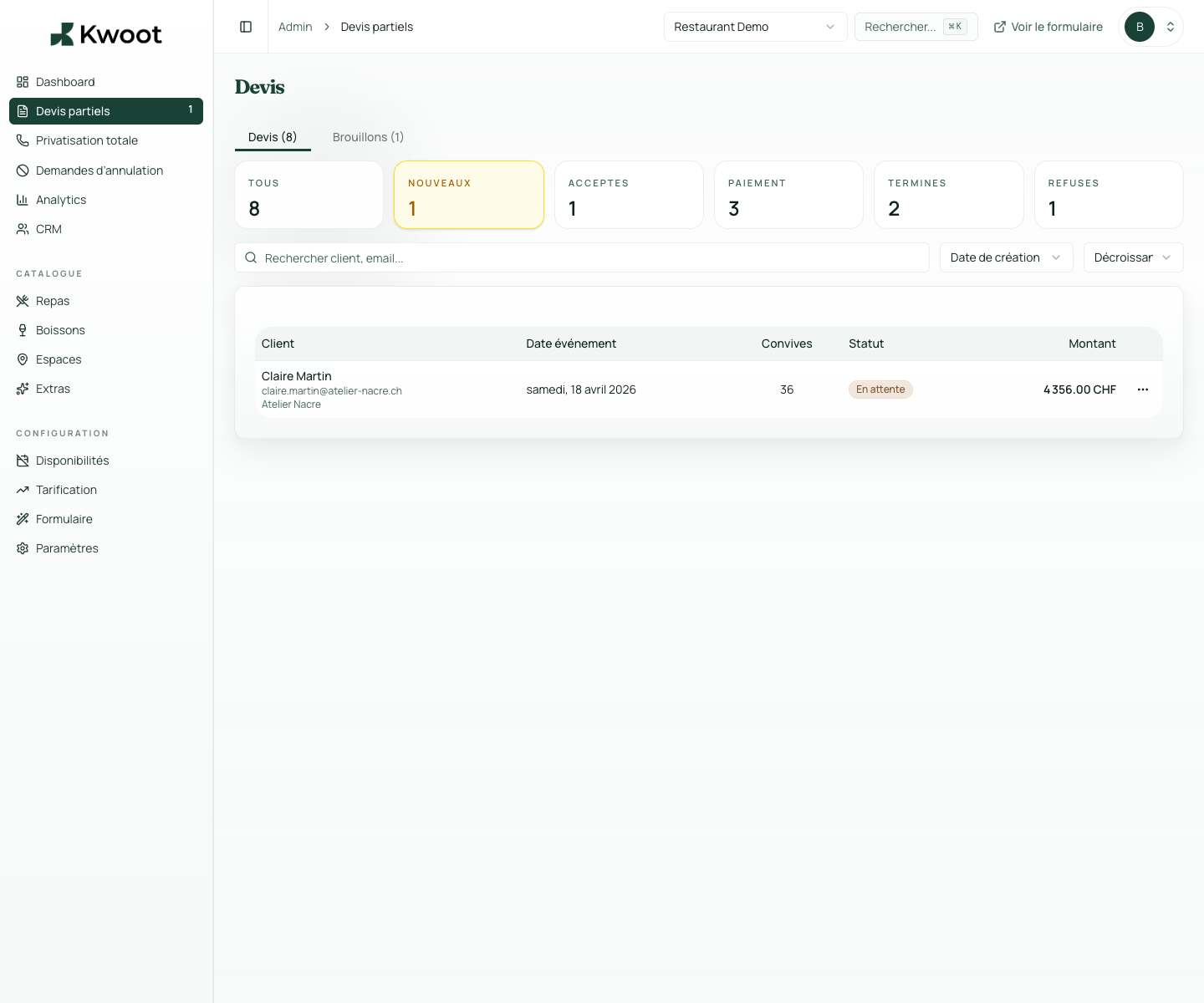
The dashboard structures your files by status: draft, pending, approved, signed, deposit paid, balance pending, fully paid, canceled or rejected.
Quote management
All your group quotes in one dashboard. Zero lost files.
From the first file received to the last deposit collected, the Kwoot dashboard gives you a complete view of all your current events. Statuses, calendar, alerts, editing, history: it's all there.
Complete customer information
Line table editable online
Internal notes and customer notes
What it unlocks
Everything you need to convert more opportunities.
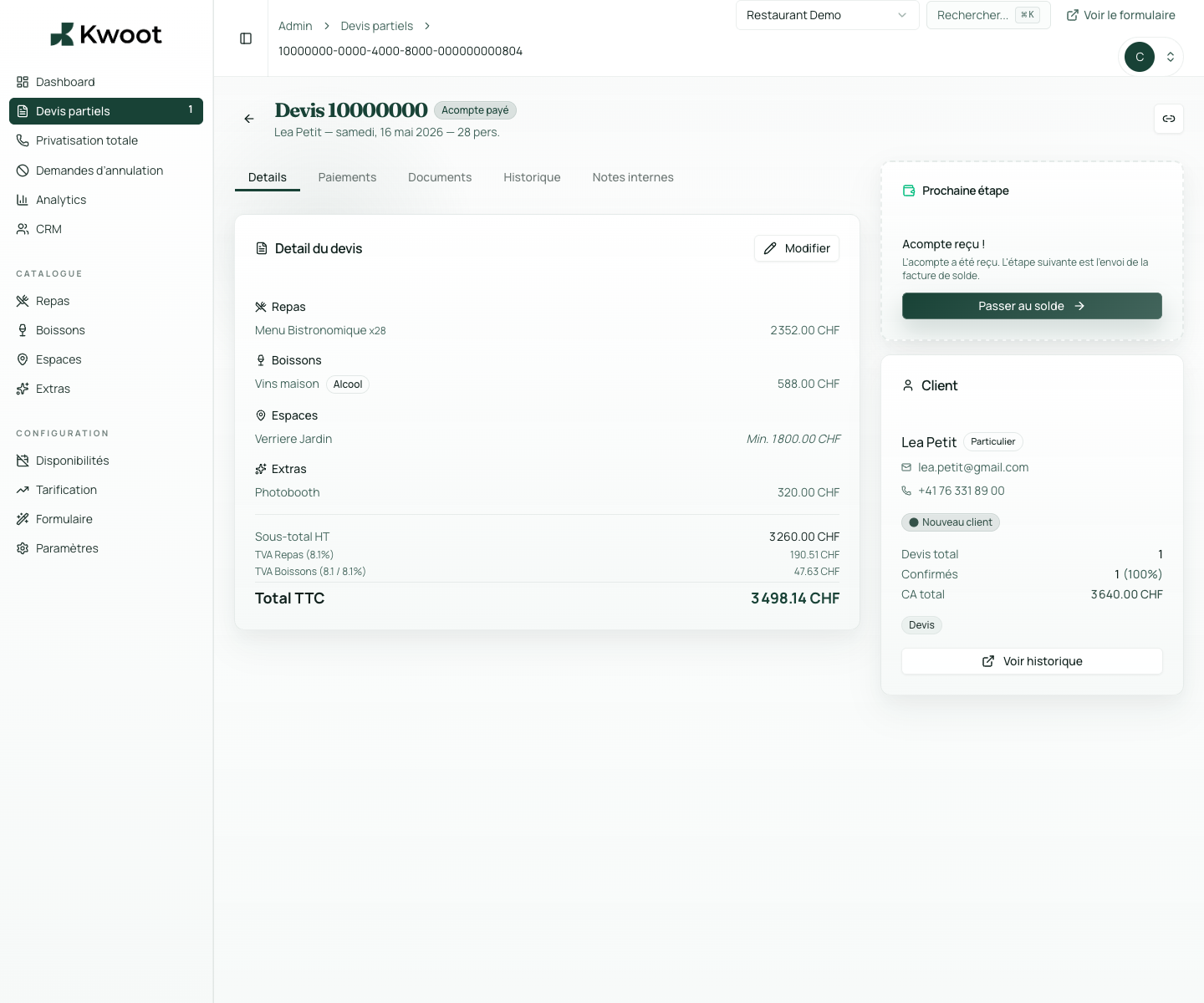
Each quote includes customer information, complete details of the event, editable line table, internal notes, PDF documents and action history.
After receiving a request, your team directly modifies the quote lines: price, extra, quantity. The total is recalculated instantly. You can also approve, reject, restart or export several files at once.
Statuses and filters
Filter by status, by date, by space. Find what you're looking for in 2 seconds.
The dashboard structures your files by status: draft, pending, approved, signed, deposit paid, balance pending, fully paid, canceled or rejected.
DraftOn holdApprovedSignDeposit paidPending balanceFully paid
Quote detail page
Each file has its page. Everything is there, nothing is scattered.
Each quote includes customer information, complete details of the event, editable line table, internal notes, PDF documents and action history.
- Complete customer information
- Line table editable online
- Internal notes and customer notes
- Documents and History tabs
Online edition and group actions
Edit a line. Approve multiple folders at once.
After receiving a request, your team directly modifies the quote lines: price, extra, quantity. The total is recalculated instantly. You can also approve, reject, restart or export several files at once.
Kwoot makes this step clearer for the team and more professional for the client: everyone knows what to do, where to look and when to restart.
Example of a situation handled with KwootGood sales monitoring starts with easy-to-find files.
Kwoot brings together all your group files into an interface designed for private event teams.
FAQ
Frequently asked questions about quote management
Can we create a quote manually without the customer quote wizard?
Yes. From the admin interface, you create a draft for requests received by phone or email.
Is the modification history tracked?
Yes. Each action is recorded in the History tab with timestamp and responsible user.
Can we clone a quote for a similar event?
Yes. The clone function duplicates an existing quote as the basis for a new file.
Are canceled quotes kept?
Yes. They remain archived and accessible for reference or dispute.
See also