
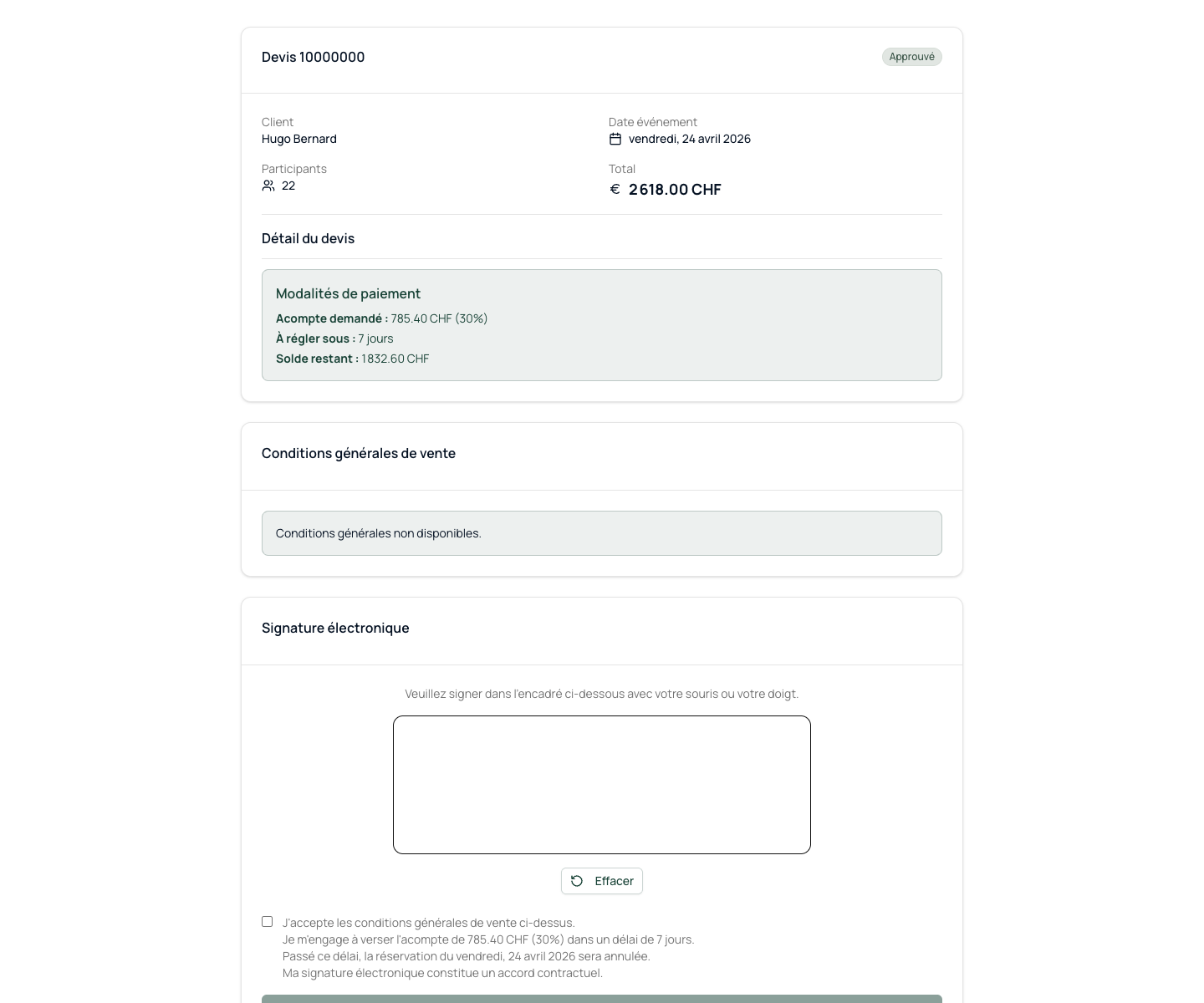
Once your team is satisfied with the quote, you trigger the sending of the signature link. The customer receives an email with their personal link, reads the quote, signs with their finger or mouse, and validates.
Electronic signature
Your customer signs from their phone. In 2 minutes. Without printing.
No need to print the quote, scan it or send it by email. The customer receives a secure link, electronically signs on their screen, and you receive confirmation instantly.
You approve the quote in the admin interface
The customer receives an email with their signature link
He signs without registration required
What it unlocks
Everything you need to convert more opportunities.
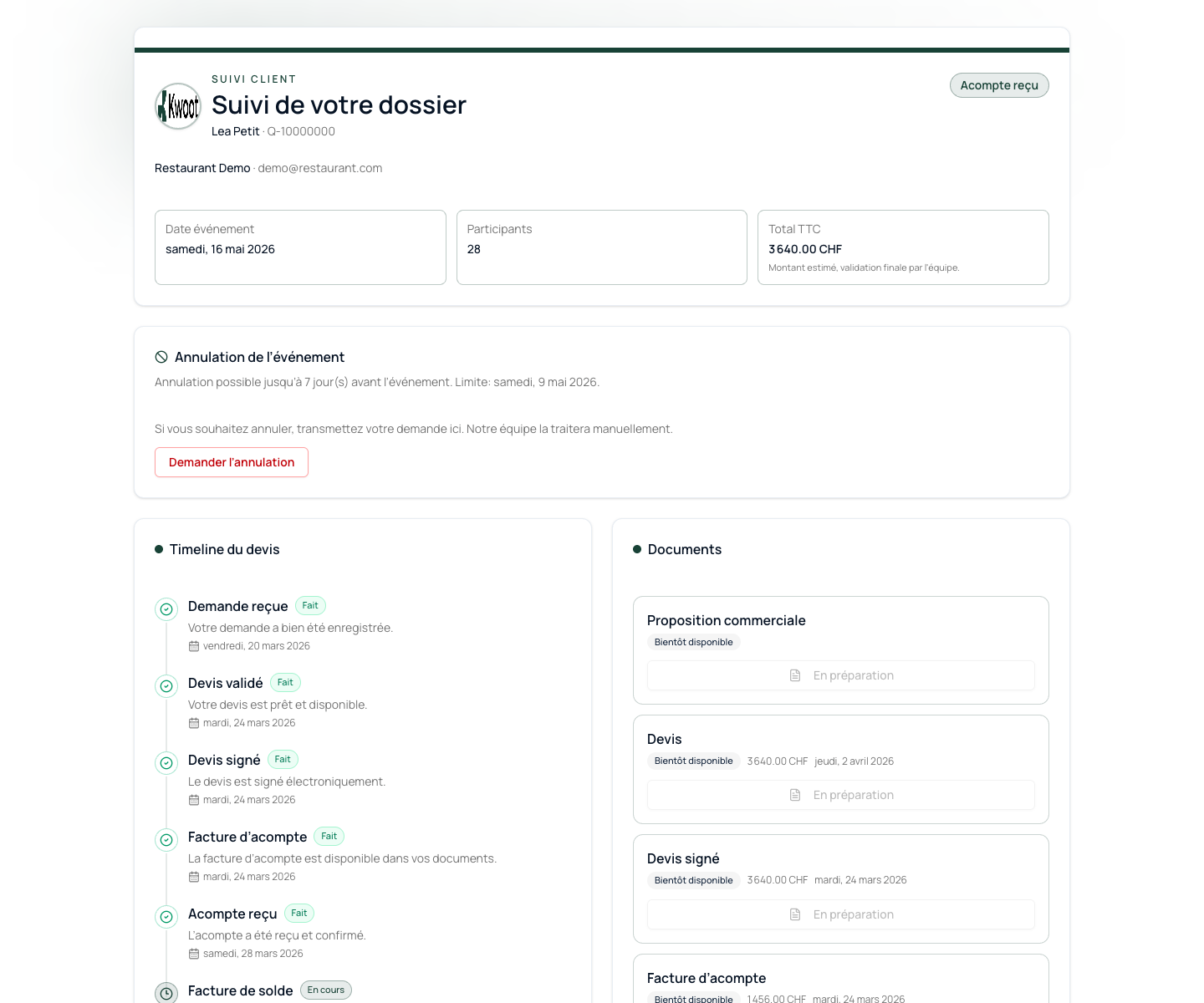
As soon as the signature is recorded, several actions follow automatically in Kwoot: quote status, deposit invoice, update of the customer portal and team notification.
The Kwoot signature is linked to a unique link, timestamped at the time of validation and kept in the quote file. The signed PDF can be downloaded from the admin and from the customer portal.
The client-side signature journey
A link. A scroll. A signature. The event is confirmed.
Once your team is satisfied with the quote, you trigger the sending of the signature link. The customer receives an email with their personal link, reads the quote, signs with their finger or mouse, and validates.
- You approve the quote in the admin interface
- The customer receives an email with their signature link
- He signs without registration required
- The signature is time-stamped and recorded
- Your team is notified instantly
What signing automatically triggers
The signing is not the end. This is the trigger for the sequel.
As soon as the signature is recorded, several actions follow automatically in Kwoot: quote status, deposit invoice, update of the customer portal and team notification.
- Quote status changes to signed
- The deposit invoice is generated automatically
- The customer portal is updated
- The team receives a notification
- The signature is archived in the file
Security and legal value
Each signature is time-stamped, traced and archived.
The Kwoot signature is linked to a unique link, timestamped at the time of validation and kept in the quote file. The signed PDF can be downloaded from the admin and from the customer portal.
Kwoot makes this step clearer for the team and more professional for the client: everyone knows what to do, where to look and when to restart.
Example of a situation handled with KwootEvery day without a signature is an event that can still slip away.
Electronic signature reduces the time between approved quote and confirmed event. Kwoot puts it in your feed naturally.
FAQ
Frequently asked questions about electronic signature
Is the electronic signature legally valid?
Yes. The signature is time-stamped, linked to a secure single-use link and kept on file as proof of consent.
Can the customer refuse to sign after seeing the quote?
Yes. If the customer wants changes before signing, they can submit a change request and the ball is back in your court.
Can we send a reminder if the customer has not yet signed?
Yes. From the admin interface, you can follow up with the customer by email from the quote page.
Is the signature suitable for touch screens?
Yes. The signature area is optimized for smartphones, tablets and desktops.
See also