
The customer opens your public link
Each restaurant has its unique URL. No registration required for the customer.
- Event type
- Date & guests
- Space
- Menus
The Kwoot quote wizard guides your customer step by step: date, format, spaces, menus, drinks, extras. He sees the price calculated in real time. You receive a clean file, not an email to interpret.
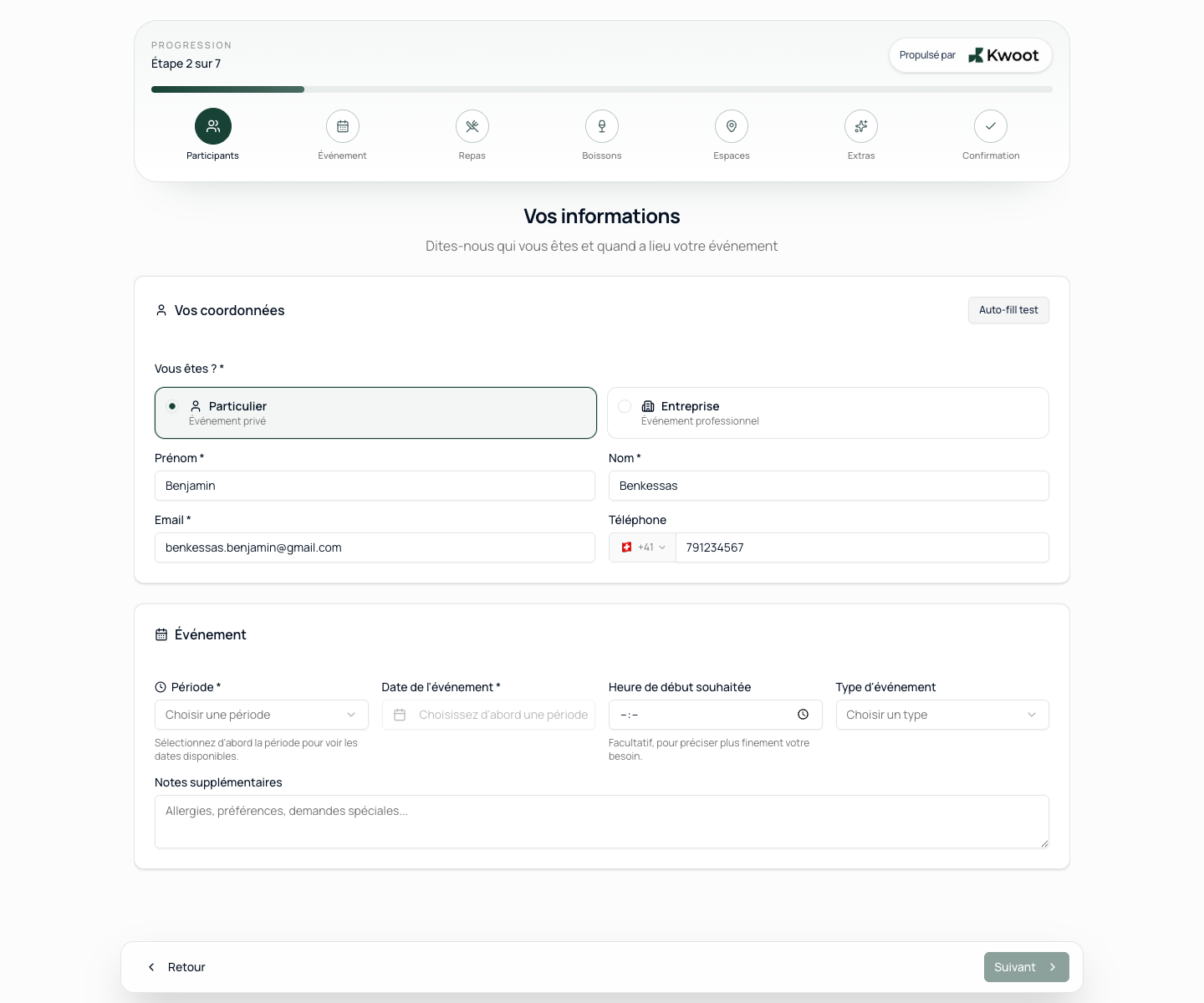
Each restaurant has its unique URL. No registration required for the customer.
Each step is guided. Impossible or non-rules choices are automatically blocked.
The file arrives in your admin interface with all the information, the calculated total and the customer's contact details.
Before Kwoot, a private event request looked like this: an email with “there would be around 30 of us, for the beginning of June, are you making any formulas?” The team calls back, asks for details, calculates in a spreadsheet, sends a PDF. The customer responds three days later to modify the menus.
From the Kwoot admin interface, you define exactly what the customer will see. Every restaurant is different: you activate the relevant steps, you hide what doesn't apply.
With each selection, the quote wizard recalculates the total: price per person, package, VAT by category, minimum spend per space, discounts on combos. The client has a clear idea of the budget even before submitting their request.
Before Kwoot, a private event request looked like this: an email with “there would be around 30 of us, for the beginning of June, are you making any formulas?” The team calls back, asks for details, calculates in a spreadsheet, sends a PDF. The customer responds three days later to modify the menus.
The Kwoot quote wizard cuts this cycle at the root. The customer configures his event himself, with your real options, your real rules and your real pricing. There is nothing left to reinterpret on the team side.
From the Kwoot admin interface, you define exactly what the customer will see. Every restaurant is different: you activate the relevant steps, you hide what doesn't apply.
| Element | What you control |
|---|---|
| Active steps | Activate/deactivate: menus, drinks, spaces, extras, private event mode |
| Greeting message | Free text, tone of your brand |
| Spaces offered | Only your real spaces with their real capabilities |
| Menus | Predefined packages or à la carte composition |
| Extras | DJ, decoration, equipment rental — with your own prices |
| Terms | Your general terms and conditions, your booking conditions |
| Branding | Logo, main color, location name |
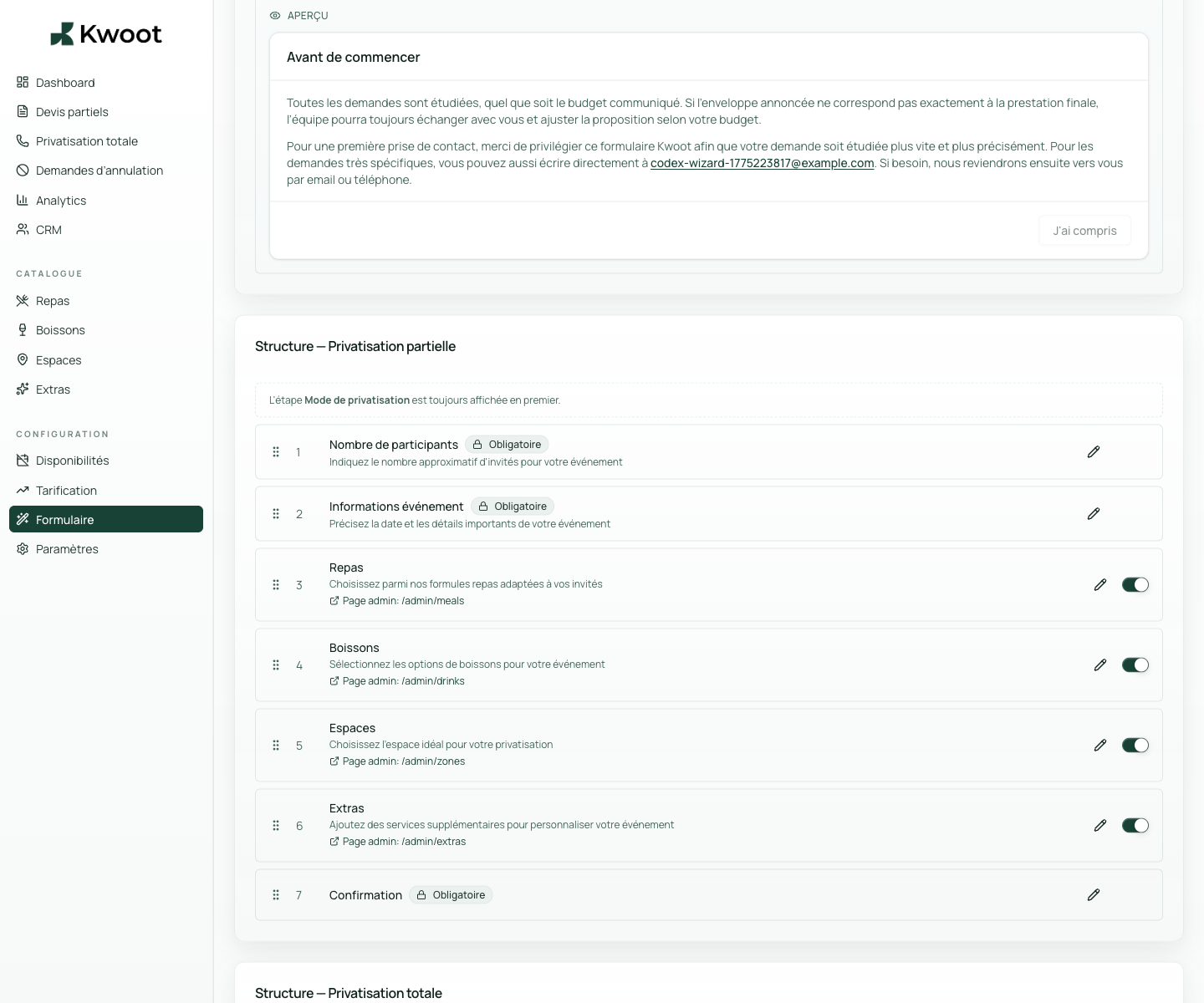
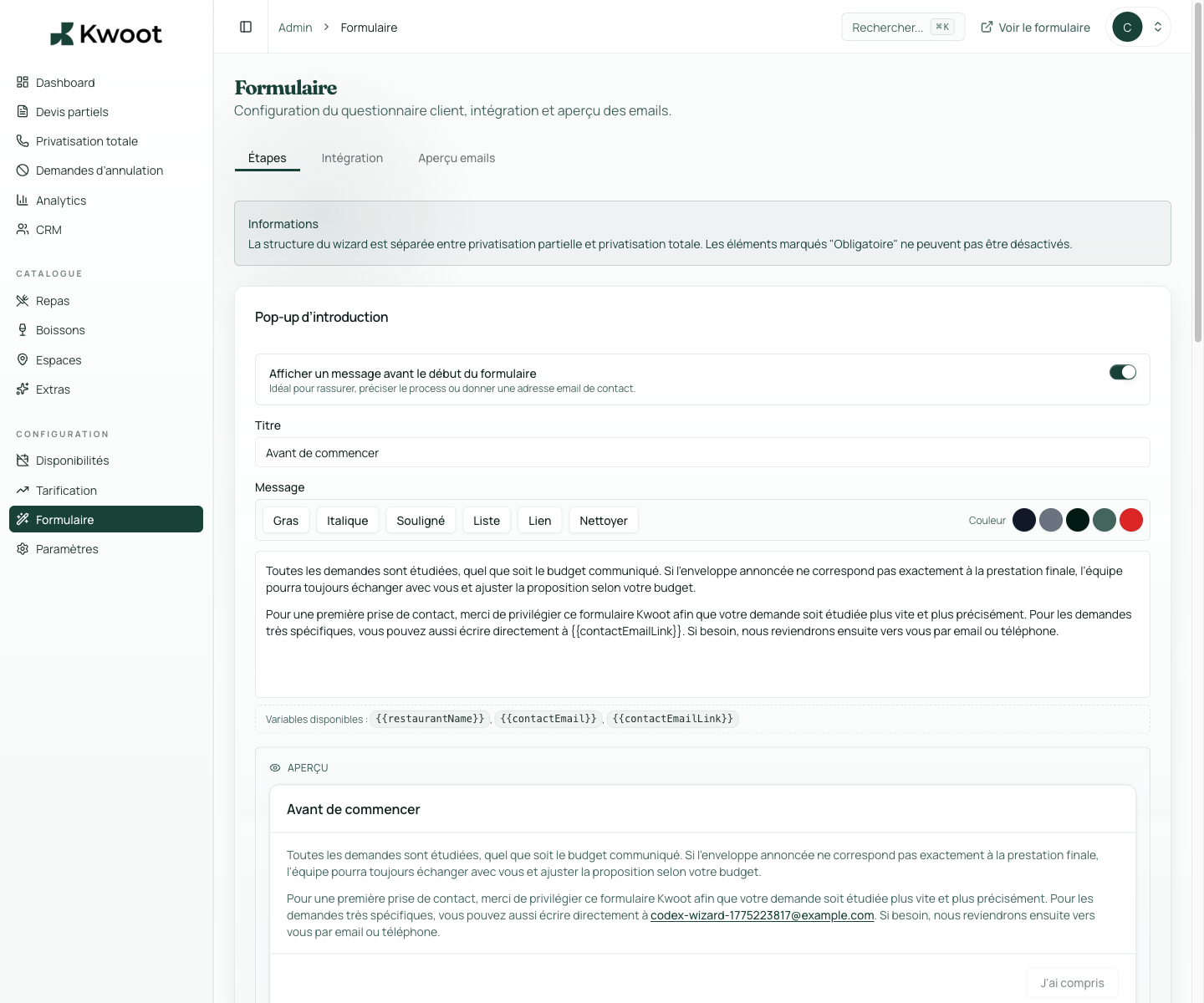
With each selection, the quote wizard recalculates the total: price per person, package, VAT by category, minimum spend per space, discounts on combos. The client has a clear idea of the budget even before submitting their request.
What doesn't change: your team validates the final quote before anything is sent to the customer. The quote wizard gives transparency, not uncontrolled autonomy.
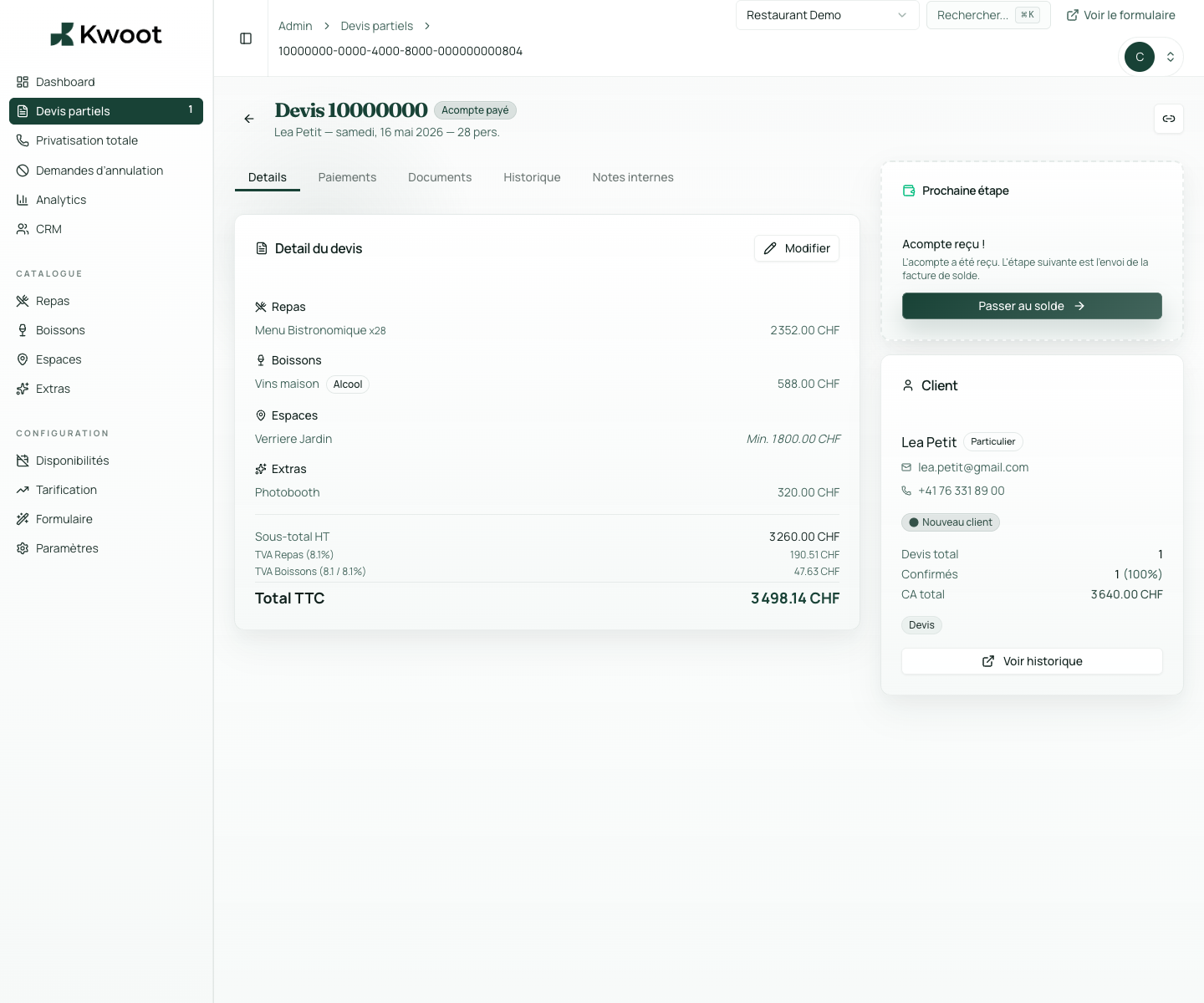
Kwoot makes this step clearer for the team and more professional for the client: everyone knows what to do, where to look and when to restart.
Example of a situation handled with KwootConfigure your quote wizard in less than an hour and start receiving clean files next week.
Yes. The quote wizard is fully responsive and optimized for smartphones. The majority of customers access it from their phone.
Yes. Your Kwoot quote wizard has its own public URL that you can link to from your site, your Google My Business or your social networks.
Drafts are saved automatically. A customer can resume their configuration where they left off.
The availability calendar is synchronized with your closings defined in the admin. Closed dates are not selectable.