
When a customer submits their first request via the quote wizard, Kwoot automatically creates their file with their contact details. No manual entry required on your end.
CRM & customer history
Every customer has their story. Don't lose it every time you change teams.
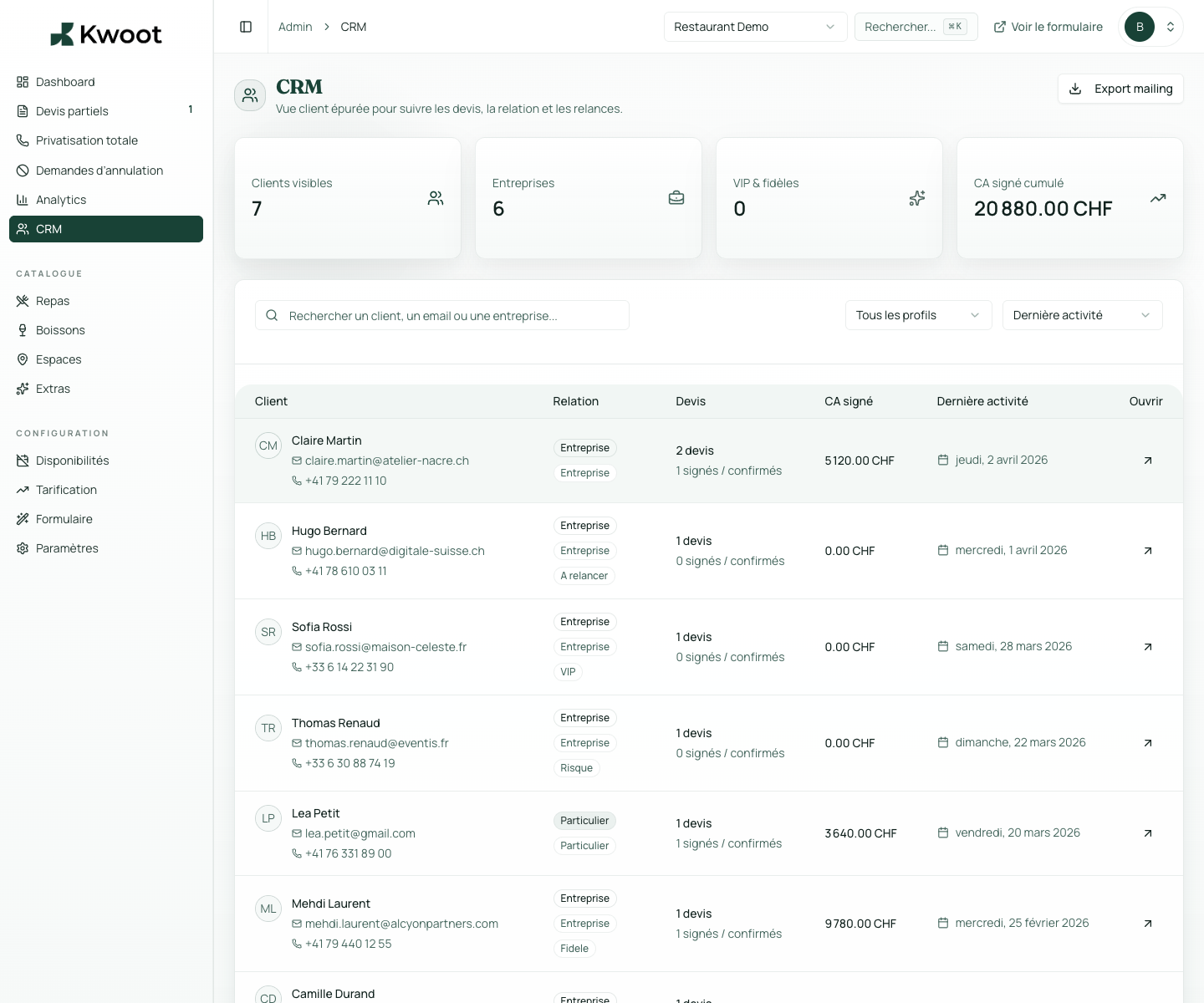
Kwoot automatically creates a customer file for each new request. Past events, internal notes, contact details, payment history: everything is grouped, readable and kept in the right place.
Requests received
Quotes sent and signed
Deposits and balances received
What it unlocks
Everything you need to convert more opportunities.
The timeline automatically groups together all events linked to a customer: requests received, quotes sent, signatures, payments, cancellations. You immediately see if the customer is new or returning.
The internal notes section allows your team to annotate each customer file with useful information: preferences, payment habits, preferred contact, context of the relationship.
The automatic customer file
From the first request, the customer has his file.
When a customer submits their first request via the quote wizard, Kwoot automatically creates their file with their contact details. No manual entry required on your end.
The event timeline
Everything that happened with this client, in chronological order.
The timeline automatically groups together all events linked to a customer: requests received, quotes sent, signatures, payments, cancellations. You immediately see if the customer is new or returning.
- Requests received
- Quotes sent and signed
- Deposits and balances received
- Cancellations and reasons
Internal notes
Your observations about a customer stay in Kwoot, not in your head.
The internal notes section allows your team to annotate each customer file with useful information: preferences, payment habits, preferred contact, context of the relationship.
Kwoot makes this step clearer for the team and more professional for the client: everyone knows what to do, where to look and when to restart.
Example of a situation handled with KwootYour customers come back. But only if you remember them.
Kwoot CRM transforms each request into sustainable customer capital, without additional input effort.
FAQ
Frequently asked questions about CRM & customer notes
Are customer files created automatically or manually?
Automatically. Each new request via the quote wizard creates or updates the corresponding customer file.
Can we merge two records if a customer has registered twice?
Duplicate detection is email based. In case of duplicates, you can manually merge the files from the admin.
Can we export the customer list?
Yes. CSV export of the list of customers and their event data is available from the admin interface.
Are internal notes visible to all members of the admin team?
Yes. Anyone with admin access to the restaurant can read and write internal notes.
See also