
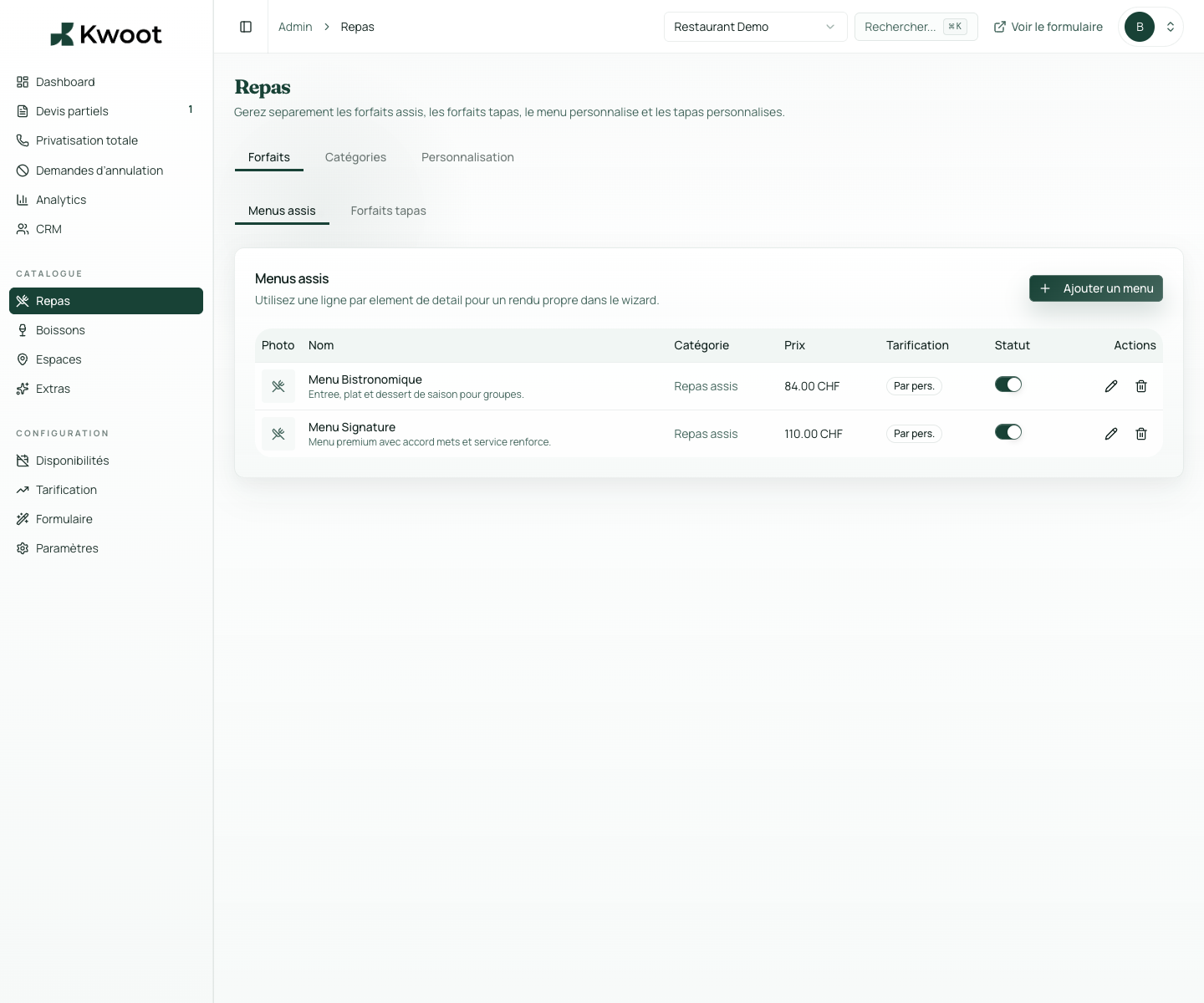
Some restaurants offer complete packages: “Prestige Package — 3 courses, 85 CHF/pers”. Others prefer to let the customer compose their menu course by course. Kwoot supports both modes, and you can combine them.
Menu & drinks management
Your event formulas, in a system that calculates itself.
Predefined formulas, à la carte composition, price per person or package — your menus and drinks are integrated directly into the quote wizard. The customer chooses, the price is calculated automatically.
Alcoholic/non-alcoholic with separate tracking in totals
Price per person or package depending on your offer
Optional or mandatory depending on your rules
What it unlocks
Everything you need to convert more opportunities.
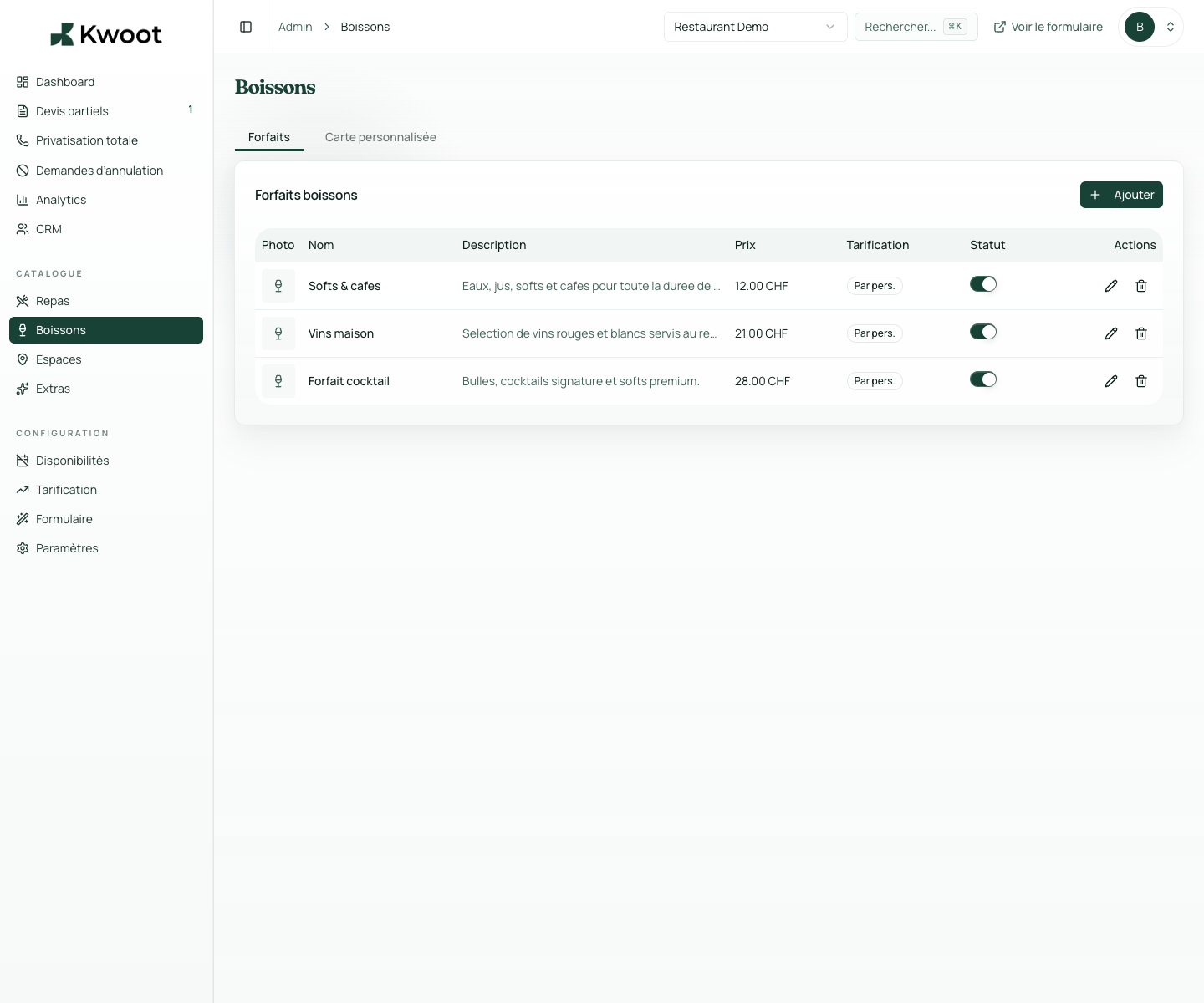
Drinks are managed separately from menus, with their own categories and VAT rules. You create drink formulas or individual items.
Each menu and each item can have start and end dates of validity. Your spring card activates on March 1st and disappears on May 31st. You configure in advance, the system manages automatically.
Two selection modes depending on your offer
Predefined formulas or map? Both. At the same time if you want.
Some restaurants offer complete packages: “Prestige Package — 3 courses, 85 CHF/pers”. Others prefer to let the customer compose their menu course by course. Kwoot supports both modes, and you can combine them.
Formulas mode: you create complete offers with a name, description, price and photo. Card mode: you create items per course or in tapas. The customer dials, the total adjusts automatically.
FormulasMapPrice per personPackage
Drinks
Drinks, bars, wine packages: everything in the same quote.
Drinks are managed separately from menus, with their own categories and VAT rules. You create drink formulas or individual items.
- Alcoholic/non-alcoholic with separate tracking in totals
- Price per person or package depending on your offer
- Optional or mandatory depending on your rules
Validity dates and seasonality
A winter card and a summer card. Without reconfiguring everything every season.
Each menu and each item can have start and end dates of validity. Your spring card activates on March 1st and disappears on May 31st. You configure in advance, the system manages automatically.
Kwoot makes this step clearer for the team and more professional for the client: everyone knows what to do, where to look and when to restart.
Example of a situation handled with KwootYour formulas deserve a system that values them, not a spreadsheet.
Configure your menus once, integrate them into the quote wizard, and let the customer create their event with your real offers.
FAQ
Frequently asked questions about menus & drinks
How many menus and formulas can we create?
There is no limit. You can create as many formulas and items as your offer requires.
Can we add photos to dishes?
Yes. Each item can have an uploaded image. The photos appear in the client-side quote wizard.
Is VAT different for menus and drinks?
Yes. VAT rates are configurable by category. The calculation engine applies them separately in the summary.
Can we have different menus depending on the space chosen?
The current configuration offers the same menus for all spaces. Visibility rules by context are currently being developed.
See also