
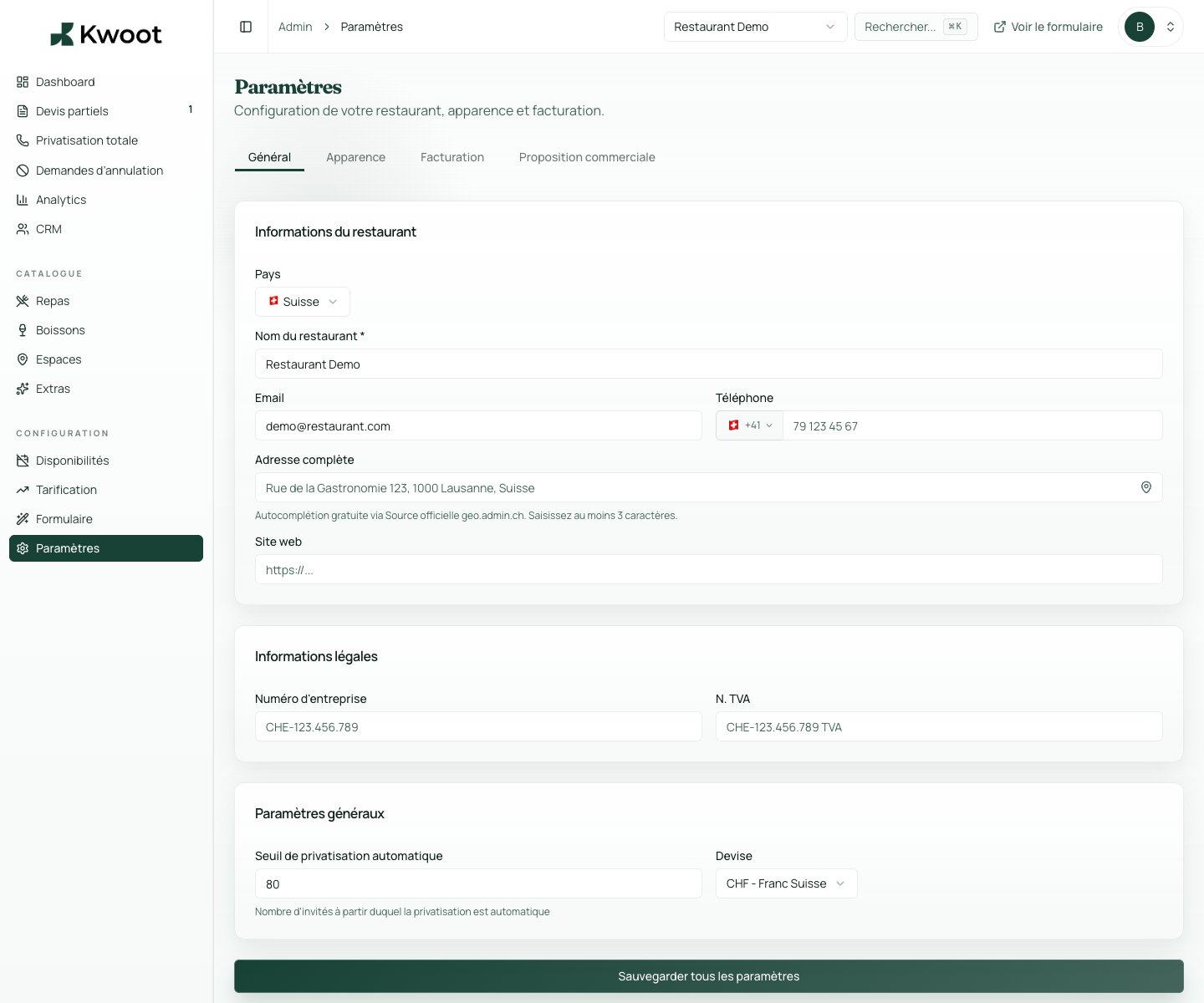
This tutorial shows you where to find the setting in the Kwoot admin, what to modify and where to control the result on the team side or on the client side.
Before you begin, keep your establishment's actual information on hand: offer, commercial rules, conditions, customer texts or visual elements depending on the setting concerned.
Configuration steps
- Open Settings > General.
- Choose CHF or EUR depending on your market.
- Enter the automatic private event threshold, for example 80 people.
- Test the quote wizard with a number lower than then higher than the threshold.
Captures to follow
The screenshots below show the setting in the admin, then the places where the change may appear in the form, quote, customer portal or internal tracking.
Save, reload the public form or folder, and create a quick test. If the text, price or document is unclear to a customer, correct it before going live.
Continue setup
Legal numbers avoid incomplete documents. They are especially useful for quotes, invoices, T&Cs and formal exchanges with companies.
Open → Following Add logo and main colorThe logo and main color provide continuity between your site, the form, the quote, the customer portal and the emails.
Open →